


Free Photo Album Software – Design a Photo Book Online with Printio
You have hundreds of photos scattered across your phone, computer, and old USB drives. You know they deserve more than a folder called “Miscellaneous 2023.” But the idea of designing a photo album probably brings to mind hours spent learning complicated software, dealing with frustration, and eventually giving up. What if it were easier? Much easier?Printio’s free photo album software, available online at artesis, changes the game. There’s nothing to install, no graphic design skills are required, and the final result looks like it came from a professional design studio. This photo book creator was built for everyday users who simply want to preserve their memories in a beautiful physical format.
In this guide, you’ll discover how Printio Album Creator works, what features it offers, and why more and more people are choosing it to create their photo albums and photo books.
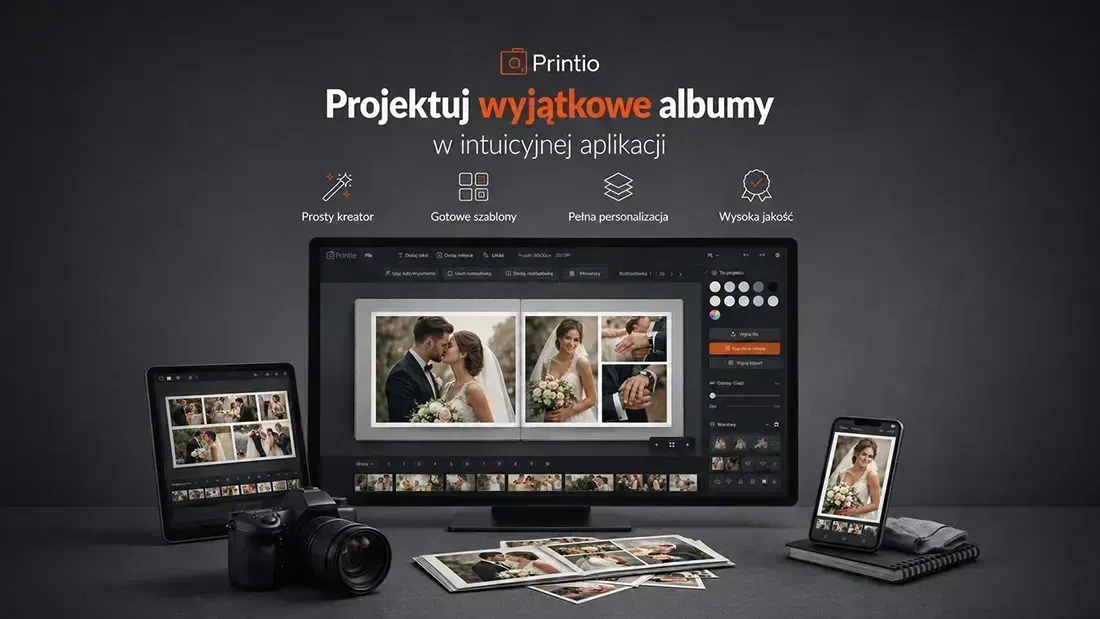 Use: free Album Creator
What Is Printio’s Free Photo Album Software?
Before diving into the details, it’s worth understanding exactly what this tool is.
Printio Album Creator is a browser-based online editor that allows you to design a photo book from scratch without downloading any software. It runs directly in your web browser, which means you can use it on Windows, macOS, and Linux.
The tool was designed with simplicity in mind. You won’t find an overwhelming interface packed with countless sliders and panels. Instead, you get an intuitive creator that guides you step by step through the entire design process.
Who Is This Photo Book Creator For?
Album Creator is perfect for:
- Parents who want to preserve their child’s early years in a beautiful photo album
- Couples creating a keepsake from their wedding or honeymoon
- Photographers looking for an elegant way to showcase their work
- Anyone searching for a unique birthday, anniversary, or Mother’s Day gift
- Schools and preschools creating commemorative albums for students and graduates
How to Create a Photo Book Step by Step with Printio Album Creator
Let’s get into the practical part. Here’s how the album creation process works from start to finish.
Step 1 — Open the Creator
Visit: artesis.pl/2025/album-kreator/index.html
The creator loads directly in your browser—no registration, login, or fees required.
Step 2 — Choose Your Album Settings
Start by selecting the basic parameters:
- Album format (for example, square 20×20 cm or landscape 30×21 cm)
- Number of pages (minimum and maximum page counts depend on the selected format)
- Cover type (softcover or hardcover)
Step 3 — Upload Your Photos
Add photos directly from your computer. The creator supports popular file formats such as JPG and PNG.
For the best print quality, your images should ideally have a resolution of at least 150–300 DPI. If a photo is too small for high-quality printing, the system will display a warning.
Step 4 — Design Your Pages
This is where the fun begins.
For each page, you can:
- Select a layout template
- Drag and drop photos into place
- Add captions, descriptions, or dates
- Choose a background that matches the mood of the page
Watch the short tutorial video to learn how each feature works and get familiar with the creator’s tools.
Free Online Photo Album Software vs. Traditional Design Software
Many people wonder whether an online creator can truly replace professional graphic design software. The answer depends on your needs.
When Does an Online Creator Win?
| Feature | Album Creator Online | Traditional Software |
|---|---|---|
| Installation | Not required | Required |
| Cost | Free | Often paid |
| Learning curve | Minimal | Steep |
| Templates | Ready to use | Often unavailable or paid |
| Print integration | Direct ordering | Export + separate ordering process |
For the vast majority of users—those who create one or several albums per year—an online creator is more than sufficient. The fact that it is completely free makes the decision even easier.
Why Choose Printio’s Free Photo Album Software?
Printio proves that powerful online photo book software doesn’t have to be expensive or require specialized skills.
An intuitive creator, ready-made templates, full customization options, and direct print integration are all available without installation fees or subscriptions.
If your photo library is overdue for some organization—and whose isn’t?—Album Creator is the perfect place to start.
Begin with a small project: select 20–30 photos from your latest vacation and create your first album. You’ll be surprised by how quickly it comes together.
Discover Printio Album Creator and turn your digital photo collection into a beautiful, lasting photo book:
artesis.pl/2025/album-kreator/index.html
Free Photo Album Software – Key Features of the Online Photo Book Creator Intuitive Interface — No Learning Curve
The first thing you’ll notice when opening the creator is its clean, uncluttered interface.
No hidden menus. No complicated panels. Everything is exactly where you expect it to be.
The design process follows a logical workflow:
- Choose an album format — various sizes and orientations are available
- Upload your photos directly from your computer
- Select page layouts using ready-made templates
- Customize the appearance with backgrounds, colors, captions, and decorative elements
- Approve your project and proceed to printing
The entire process can take anywhere from a few minutes to several hours, depending on how detailed you want your album to be.
Ready-Made Layout Templates — Effortless Design
You don’t need to build every page from scratch.
Album Creator provides pre-designed layout templates that automatically adapt to the number of photos you want to include.
Need a full-page image? No problem.
Prefer a collage featuring five photos? That’s available too.
All templates are editable, allowing you to:
- Adjust image proportions
- Reposition photos
- Modify margins and spacing
This gives you creative freedom without requiring advanced design skills.
Free Photo Album Software for Personalized Albums — Express Your Style
This is where Album Creator truly stands out from the competition.
You can customize:
Page Backgrounds
Choose from:
- White backgrounds
- Solid colors
- Patterned designs
- Your own custom graphics
Text and Captions
Add:
- Custom fonts
- Different font sizes
- Personalized colors
- Titles, notes, and descriptions
Decorative Elements and Frames
Enhance your album with subtle graphic elements that complement your story and style.
Fully Customizable
Personalize both the front and back cover to create a truly unique photo book.
With these tools, you can build a cohesive visual story—from the cover and introductory pages all the way to the final page.
A great photo album is more than a collection of images. It’s a narrative.
Real-Time Preview
As you work on your album, you see the results instantly.
There’s no rendering process and no waiting.
Every adjustment—whether it’s moving a photo, changing a background, or adding text—appears immediately on screen.
This helps eliminate unpleasant surprises when your album goes to print.
What you see on your screen is what you’ll receive on paper.